Instagram 6 June - 10 July 9 posts · 35 days Enterprise & serious creatives

A deep-product marketing leg to convert high-ticket customers

This leg is designed for a small total market on purpose. The primary goal is to ensure whoever inside that market consumes these pieces gets very high value and converts via one-on-one sales, while the secondary goal is to also leverage Instagram to organically reach more of the same target market. What follows is a plan that’s designed for the premise - every correct view is worth far more than a view in a broad-reach campaign.

Contents
00AudienceSmall TAM by design

Small audience. Expensive views.

00 - Who

Two personas, both high-ticket.

Enterprise & B2B
Brand creative teams

Creative directors and marketing teams at fashion, jewellery and lifestyle brands producing seasonal campaigns: a summer collection, a winter line, a new run of leather boots. Also performance marketers at B2C companies.

Serious creatives
Filmmakers and studios

AI filmmakers, AI agencies and AI production houses, plus large traditional production houses exploring microdramas and OTT content. People spending hundreds of dollars of credits a day.

00 - How it travels

Two distribution goals, in order.

  1. Sent directly by the sales team. The enterprise team forwards each piece to B2B leads. If five out of a hundred convert, that stacks thousands of dollars of MRR immediately, and a single brand won can be worth a six-figure annual account.
  2. Found organically by more of the same people. On social, the piece has to be packaged so the algorithm can surface a post made for a fashion creative director to more fashion creative directors. Given how tailor-made the content is, even a 2x or 3x multiple on average reach is a large payoff.

The funnel, identical on every post

Post→Comment “agent”→DM with the link→Long-form YouTube tutorial

The pieces never send viewers to the website. They hand over the full tutorial. Five to fifteen real potential customers reaching that tutorial is a meaningful outcome for one post.

01The constraintsLocked before the brief

The tightest brief there is

Every content scenario sits somewhere on a scale of how much is already fixed and how much you can actually play around with. This one sits at the far end: the who, the problem-solution as well as how it has to be presented are fairly locked, and the task at hand is to still push the creative manifestation without compromising on any of them.

01 - The scale

Three scenarios, each more constrained than the last.

Open brief
Virality

A macro who-gets-what has to be hit. But each piece has full creative freedom for verbal and visual manifestation.

Closed brief
Product or feature launch

What has to be said comes fixed and can't change between pieces, but you have full freedom on the final script and visual manifestations.

Fully locked brief
B2B product marketing

What has to be said and how it has to be said comes locked since it is centred around the product - the only legroom is the visual manifestation.

01 - The brief

What arrives already decided.

  1. The persona. Enterprise and B2B clients, or serious creatives who may spend thousands of dollars on the product.
  2. The problem that persona has. A specific production bottleneck, often raised by clients already in conversation with the sales team.
  3. How invideo solves it. The exact workflow, shown step by step.
  4. The messaging and tonality. These are deep tutorials, and they are not going to be made lighter.

With everything else held, nearly all creative attention goes to one job: how can you use visual toolkits to bring the skip rate down without bending the content, the message or the tone.

02The thinkingWhat can still move

Design is the only lever

Strip away everything that is locked and each piece has exactly two levers left that you control. Both are visual.

Two levers

The hook buys the first seconds. The frames earn the rest.

Lever 01 The hook

It buys the first five to ten seconds. That is the window in which the viewer decides whether to continue.

Lever 02 Every frame

Every second after the hook has one brief: be so visually appealing that someone keeps watching even when the content is heavy and hard to grasp.

These pieces are voiceover-led and script-led. Any gap between what is shown and what is said adds mental work for the viewer. So the design job here has a precise definition: reduce the effort it takes to consume the video, while making every second worth looking at.

03The principlesApplied to every frame

Five rules for every frame

These are the rules each hook, frame and slide was judged against. Each one is shown at work in the breakdowns that follow.

03 - The rules
P01
Clarity first, then break the pattern

Step one: for each line of text or voiceover, find the visual that explains it most clearly. This is about half the job. It draws the boundary that creative thinking happens inside, and guarantees nothing random gets shown.

Step two: inside that boundary, find an unusual, pattern-breaking version of that visual using the visual-hooks toolkit: cinematography, composition, unexpected framing, perspective, camera movement, text-visual pairing, and the highest-leverage words placed up front.

P02
See-say-sync

At any point in the runtime, what the viewer sees matches what is being said. Important text is highlighted and marked on screen. Screen recordings zoom in on the UI element being clicked, so the eye follows the action without effort. Smooth motion graphics keep every second interesting.

P03
Assume null hypothesis

Design every frame as if the viewer has no intention of watching the next one. This null hypothesis is what drives the other rules: if a frame would not survive a viewer who is about to leave, it gets reworked.

P04
Make the swipe frictionless

Carousels follow the same logic with their own rules. Put the exact payoff that they will get from this post on the opening slide, so they know who to send it to or what to save it for. The rest of the slides deliver on that promise. One micro-step per slide, so no slide is overloaded and people can pause, try the step, and come back. Start where the audience already is, with the question or frustration they already have. Show receipts: real cost and time numbers for buyers who will compare against their current process.

P05
Direct the team with two layers

With 8, 10 or 15 creatives working on a bucket like this, everyone has to agree on what gets prioritised. The two steps of P01 become the sequence for all creative thinking across the board - every team member attacks clarity and simplicity first and scroll-stop second.

03 - Reviewing a cut

How the two layers judge a first cut.

Is scroll-stopping but fails clarity Off-principle

The frame looks great and explains nothing. That breaks the design principles for this bucket, so it goes back regardless of how striking it is.

Solves for clarity but weak on scroll-stop On track

The frame does a great job at bringing clarity, but is not visually scroll-stopping yet. That is fine. The creative goes back, does more referencing, and pushes the visual further.

The scroll-stop toolkit

A sequence of steps that allows any creative on the team to methodically attack scroll-stop across each frame instead of having random outliers. Steps like:

  1. Can I do something with camera angles?
  2. Can I do something with framing?
  3. Can I do something with composition?
  4. Can I do something with colour?

Go through those one by one and it is very hard not to end up with a visual far more engaging than where you started. You don't have to micromanage each person. You can let them bring their own taste and push them to explore, knowing the work will still hold to the core tenets.

04Reels3 posts

The reels, broken down

For each reel: the locked brief, how the hook was found using the two steps, and how every frame after it was built.

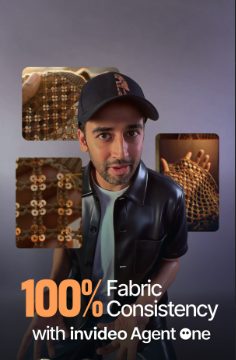
100% Fabric Consistency reel cover

100% Fabric Consistency

View reel
Views22,243
Reach14,845
Follows28
Avg watch15s
Skip rate62.3%
Likes390
Comments104
Shares186
Reposts21
Saves292
The locked brief

Fashion houses already talking to the sales team said AI could not render fabric convincingly. It looked plasticky, and that was stopping them from switching to AI fully. The subject was locked: how to make fabric look like fabric on invideo, using a Brunello example, showing the full workflow, including how the agent was spoken to and how texture stayed consistent across fabric types. A tutorial that people may pause and follow along with.

The hook

Step one: what visual most clearly explains “fabric doesn't look like fabric in AI”? Something involving clothing. The presenter is wearing clothes, so his own outfit could carry the point.

Step two: a quick colour switch on that outfit. It breaks attention without fighting the voiceover, it is new, and it is tied directly to the subject. The first-person framing and the opening on-screen text add to it, so even a viewer outside the target audience is held for the first five to ten seconds.

Every frame after

See-say-sync throughout. Key text is highlighted on screen, screen recordings zoom in on each UI element as it is clicked, and smooth motion graphics carry the transitions. Built on the assumption that the viewer has no reason to stay.

Ends on the “agent” comment trigger into the long-form YouTube tutorial.

P01 Clarity, then pattern-breakP02 See-say-syncP03 Assume null hypothesis

The heaviest tutorial of the set, and it still held an average watch time of 15 seconds.
BEST REELReplicate Camera Movement reel cover

Replicate Camera Movement

View reel
Views68,157
Reach52,366
Follows281
Avg watch15s
Skip rate39.2%
Likes1.6K
Comments248
Shares1.7K
Reposts40
Saves1.9K
The locked brief

A different persona from the fabric reel: people who use AI tools constantly and spend hundreds of dollars of credits a day. Their pain was getting the exact camera movement they want for a shot. The insight came from invideo's in-house research desk: you don't need 3D software, you can nail the movement with your phone. Both the subject and the way it had to be shown were locked, because the process itself had to be demonstrated.

The hook

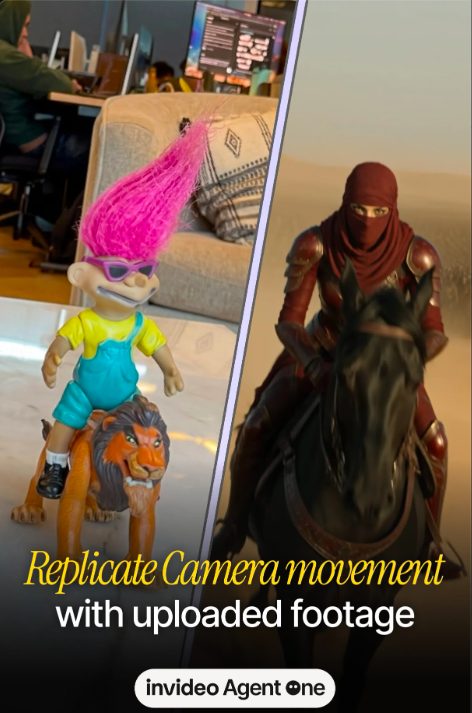
Step one: the clearest visual for this subject is the input and the output, the phone shot and the AI shot it produced. So instead of a verbal setup explaining what the video will show, the hook shows both at once in a half-and-half split screen.

Step two: the text overlay reads “I just got this exact camera movement using nothing but just my phone.” The highest-leverage words, nothing but just my phone, come first.

Every frame after

Because the steps happen in the real world, the body is behind-the-scenes footage of someone actually following the process, which is more watchable than screen recordings for this kind of content.

The before-and-after split comes back every few seconds as a structural device. It works like a game: the viewer sees the before and tries to predict the after. Later examples of other shot types use the same split for the same reason.

P01 Clarity, then pattern-breakP02 See-say-syncP03 Assume null hypothesis

Skip rate of 39.2% on a tutorial, with share and save rates of 3.2% and 3.7%. Same constraints as the fabric reel, 23 points lower on skip.

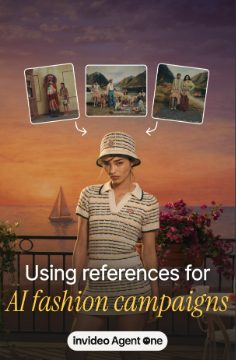
Using references for AI fashion campaigns reel cover

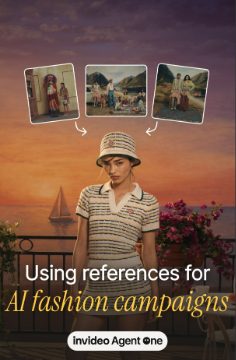
Using References for AI Fashion Campaigns

View reel
Views9,803
Viewers555
Follows4
Avg watch6s
Skip rate73.5%
Likes125
Comments66
Shares26
Reposts17
Saves54
The locked brief

A major industry ask, faced by several potential clients at once, with the potential for adoption across a whole industry. After digging deep on the subject, the workflow became: how to build an entire fashion campaign, especially from references you already have from other brands. Who, what, how and the problem statement were all fixed. A mini tutorial whose call to action leads to the long-form video.

This one shipped knowing it was built for a very specific audience. Building a fashion campaign by referencing other brands is a very particular situation, relevant to a handful of people in a creative director role at a fashion brand. But the demand was coming from an entire industry, so the piece had to exist for the people it was made for.

The hook

Step one: the opening on-screen text delivers the exact takeaway, which is also the solution to the viewer's problem: using references for AI fashion campaigns.

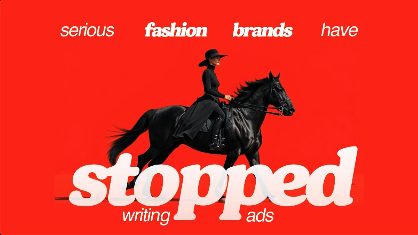
Step two: highly cinematic visuals that read like a high-end fashion campaign, and a stop-motion effect with the campaign's characters moving from right to left. Cuts and motion graphics make it engaging, and the visuals stay locked to what the text says so the viewer knows instantly what the video is about.

Every frame after

For every sentence of voiceover, the same order. First, find the visual that explains the line most clearly. Then use motion graphics, the way it is visualised, and sound design to make it interesting to watch.

P01 Clarity, then pattern-breakP02 See-say-sync

The narrowest problem statement of the set, built for a handful of fashion creative directors, and the same brief also got shipped to creators who could further reach the same target persona.

05Carousels6 posts

The carousels, broken down

For each carousel: the locked brief, the opening slide, and how the swipe was kept frictionless from the second slide to the call to action.

The locked brief

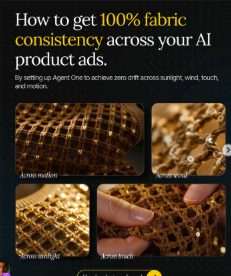
Same persona as the fabric reel. The pain was keeping fabric consistent across every product ad, a major blocker to full AI adoption in fashion. The subject was locked to how to get 100% fabric consistency across AI product ads, with no leeway on what the post was about.

The opening slide

The payoff gets placed on the opening slide: “How to get 100% fabric consistency across your AI product ads.” The visual shows four shots of the same fabric staying consistent across motion, wind, sunlight and touch. Whether someone saves it, is sent it, or scrolls past it, they know the exact outcome.

Slide by slide

Every slide after this is optimised for ease of understanding and preventing cognitive overload. Slide two covers only setting up the agent's context. Slide three covers only how to talk to the agent, like talking to a crew. Each slide after that takes one micro-step with a clear visual.

A receipts slide benchmarks real cost and effort against a traditional photo shoot, the comparison enterprise clients kept asking for. The last slide shows the YouTube tutorial with the “agent” trigger.

P01 Clarity, then pattern-breakP04 Reward up frontP04 One micro-step per slideP04 Receipts

Built for two readers. Clear enough to send to a hundred enterprise leads, and easy enough for someone outside the industry to follow without feeling intimidated.

The locked brief

A known, established pain the audience was already struggling with: getting accurate B-roll for any location. The content of the video was locked to showcasing step-by-step how to achieve this in under two hours with Agent One.

The opening slide

The value is stated plainly: “How to get accurate B-roll for any location in less than 2 hours.” The one freedom on this piece was the visual, so a drone shot was chosen to make the opening frame stand out. Elevating that frame was the main creative decision available.

Slide by slide

The first couple of slides establish why this is a need at all, meeting the audience at what they already know before walking them into the solution. Then one micro-step of the Agent One workflow per slide, with clear visuals and little text.

A receipts slide shows what a thirty-second B-roll video costs, making the case that this is faster and cheaper than a shoot. The last slide points to the YouTube tutorial.

P01 Clarity, then pattern-breakP04 Start where they areP04 One micro-step per slideP04 Receipts

407 saves. A workflow people keep to follow later.

The locked brief

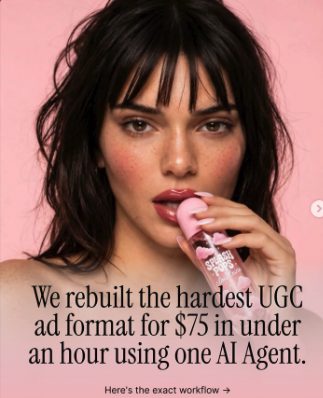
A different persona from the fashion pieces: performance marketers at B2C companies. Built as a case study, what we did and how. The value proposition: the hardest UGC ad format, rebuilt for $75 in under an hour.

The opening slide

The value goes up front immediately: $75, under an hour. The visual is lifted well beyond a screen recording, a striking UGC-style shot of the talent with the product. That kind of image is tempting and stops the thumb, and it signals both the production quality and the exact format being discussed.

Slide by slide

Slide two shows the format being replicated and nothing else, so the viewer can take it in. The problem slide explains what happens when you try it manually: three moving parts that all have to match.

The process slides are pure screen recordings. Between them sit breaker slides that name the problem, the catch or the insight at that point, using the same talent holding the product. They lift the visual without breaking clarity, because they are still on subject. A receipts slide gives cost per ad and time per ad, then the CTA.

P01 Clarity, then pattern-breakP04 Reward up frontP04 Start where they areP04 Receipts

The breaker slide is the clearest example of elevating a visual inside the boundary. Nothing random, just a better picture of the same subject.

The locked brief

Filmmakers were unsure how to combine AI with traditional shoots, and almost no one online was discussing it. Invideo's in-house research lab went and worked out a set of answers, so the substance was already genuinely useful. The job was to bring it out with as much simplicity and clarity as possible.

The opening slide

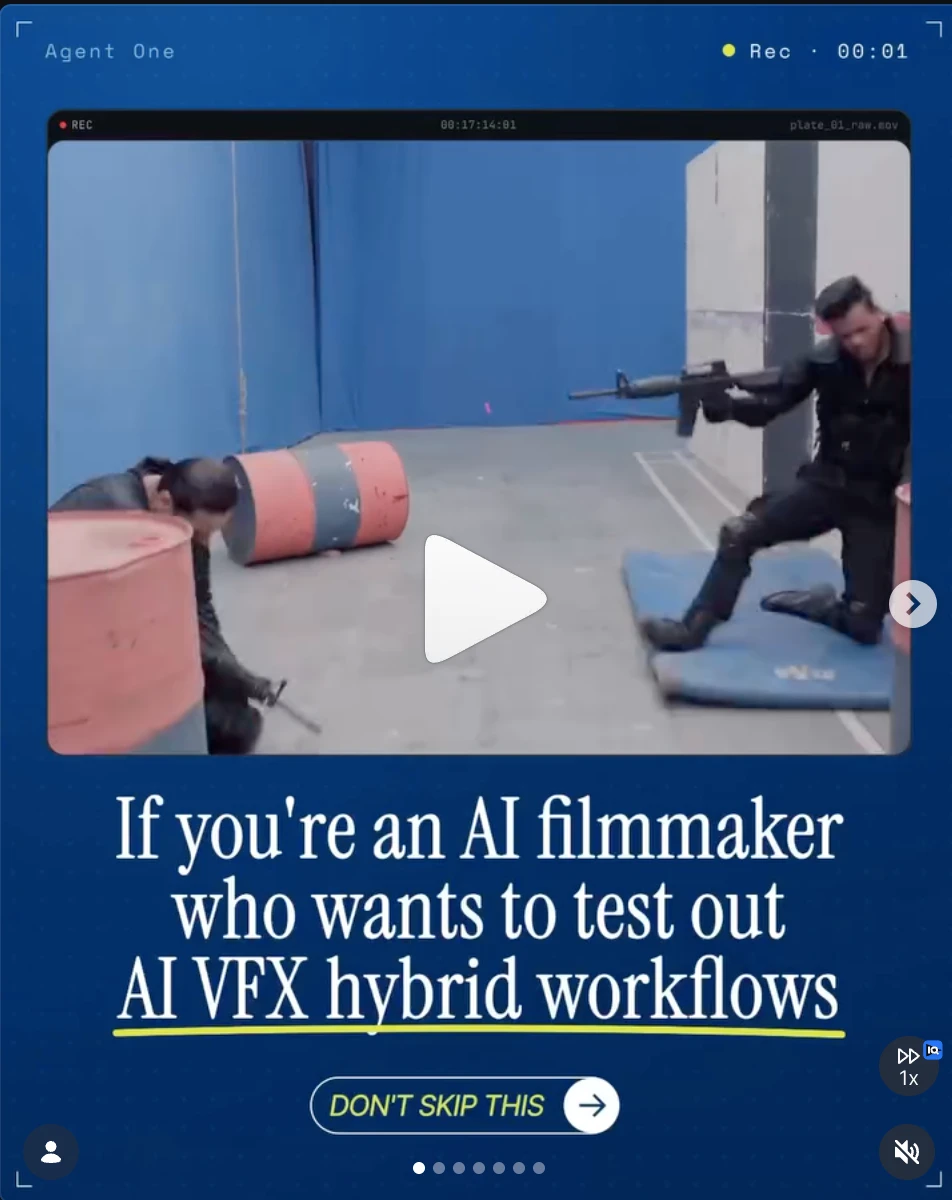
It names the target persona outright: “If you're an AI filmmaker who wants to test out AI VFX hybrid workflows,” with “Don't skip this” underneath. That line works as a filter, telling exactly who should watch and why. The visual front-loads the most exciting footage from the shoot, a fight sequence, because this is where the most visual play was possible.

Slide by slide

Slide two is “The Big Question”: which parts of filmmaking have to be shot, and which can AI handle? That is exactly where this audience's uncertainty lived. Then the bottleneck, then a slide saying we took a shot at figuring it out.

Every frame after that is deliberately minimal: one strong hybrid or behind-the-scenes shot with only the text it needs. The CTA offers the files so people can experiment themselves.

P01 Clarity, then pattern-breakP04 Start where they areP04 One micro-step per slide

80,578 views, 600 comments and 794 saves. The filter line did its job: the people who stayed were the ones it named.

The locked brief

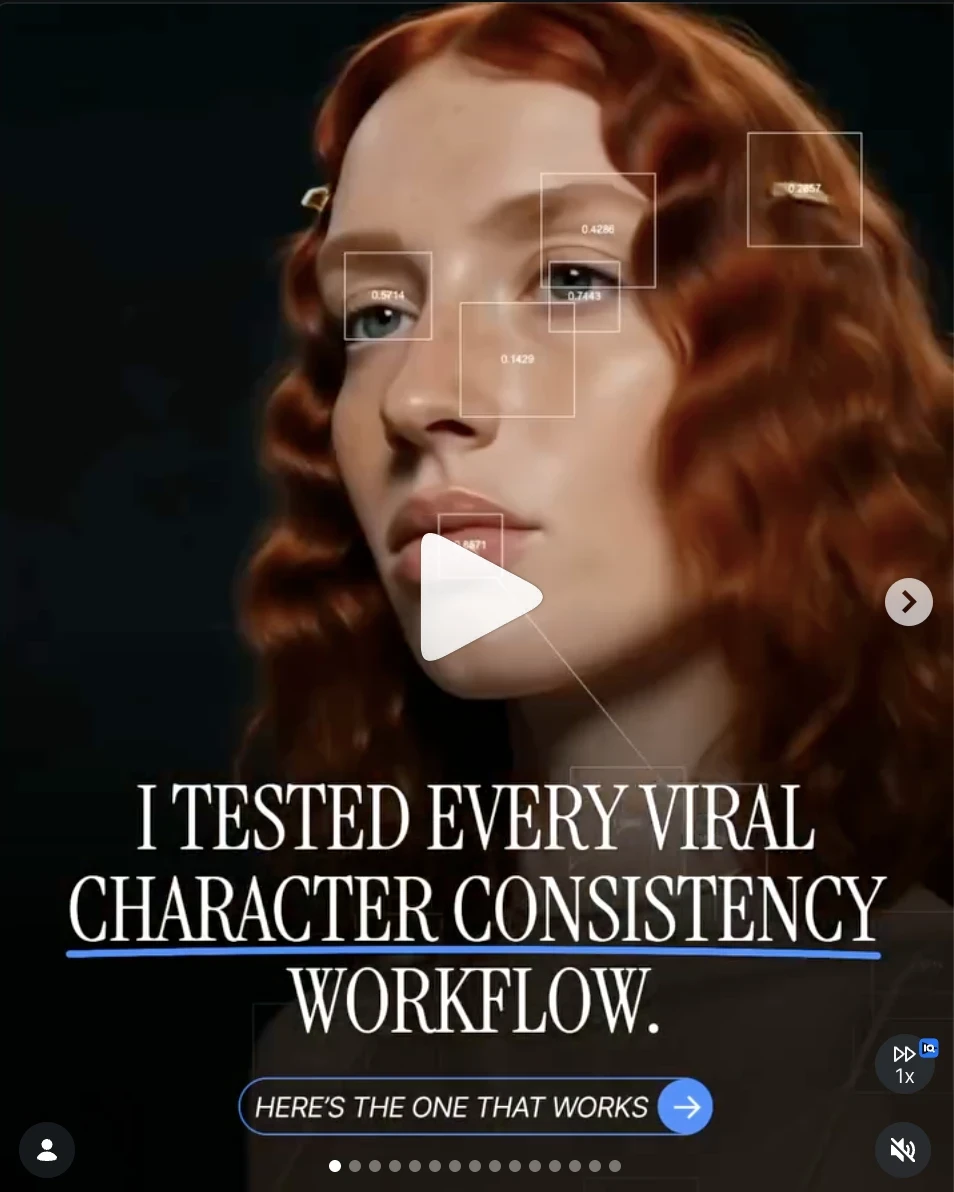
The web was full of character consistency workflows, all claiming to be the best. Invideo's position was that its workflow is the default and fully reliable, built into the product: select a picture or build a character, and a character sheet and consistency workflow are generated automatically. Saying “this is the best workflow” would have sounded like everyone else.

The opening slide

The one available leeway was the framing. Instead of front-loading the claim, the post says every viral character consistency workflow on the web was tested, and here is the one that works. That opens a curiosity loop: people want to see which one won. The viewer still gets the same useful outcome. The framing just gives them a reason to swipe to it. A pattern-breaking visual sits on the opening frame.

Slide by slide

Each slide pairs an eye-catching, pattern-breaking visual with very simple text: the stakes, the false promises other character sheets make, or, over screen recordings of the other workflows being tested, a minimal overlay. Simple and clear on the subject, and fun to watch. Micro-steps and the CTA as on every carousel.

P01 Clarity, then pattern-breakP04 Reward up frontP04 One micro-step per slide

417 follows and 2,000 saves, the most of any post in the set. The only thing that changed was how the same value was framed.

The locked brief

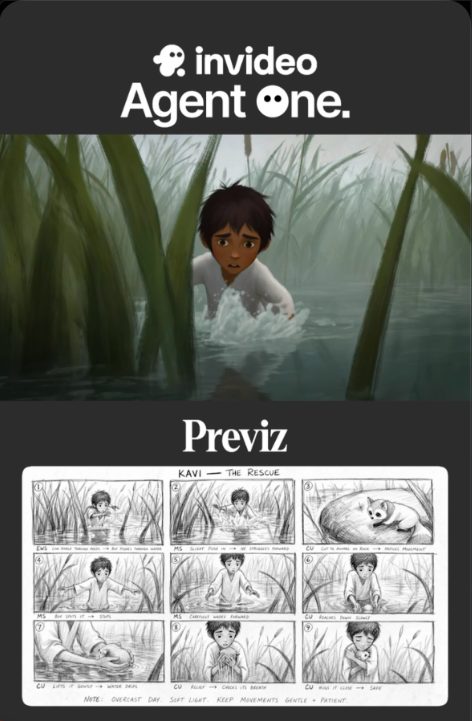
Aimed squarely at AI filmmakers and AI studios, more than any other post here. Invideo's position was that it had cracked the best way to previz a film with AI, and the workflow had to be shown.

The opening slide

“Previz” is insider vocabulary that most people outside film won't recognise. It was used anyway, because a filmmaker who sees it stops: it names a pain they know. Stopping the right person mattered more than being legible to everyone, a deliberate trade-off.

The reward goes up front, “We cracked the best way to previz your film with AI,” over a visual that alternates between the sketched previz and the actual shots from the film. That back-and-forth demonstrates the value in the most immediate way and still stops the thumb.

Slide by slide

Slide two, “Why this matters,” changes the background drastically from frame to frame to catch the eye while staying on subject. Every frame after follows the same rule: the visual has to justify the text and still be engaging. Several workflows are shown, then the CTA to the YouTube tutorial.

P01 Clarity, then pattern-breakP04 Reward up frontP04 One micro-step per slide

Save-heavy, the way reference material should be. Then it went to filmmaker creators, and one of those pieces passed 6,000 likes.

06Creator briefsNarrow release

Shipped to the right creators

The strongest workflows went out as creator briefs too. They went only to creators who could deliver on the mandate of the brief, not as a wide release to hundreds. Each piece spoke to the same high-ticket personas, so the message landed with much higher recall among the people who matter.

06 - Fashion campaign

The AI fashion campaign workflow, shipped to fashion creators.

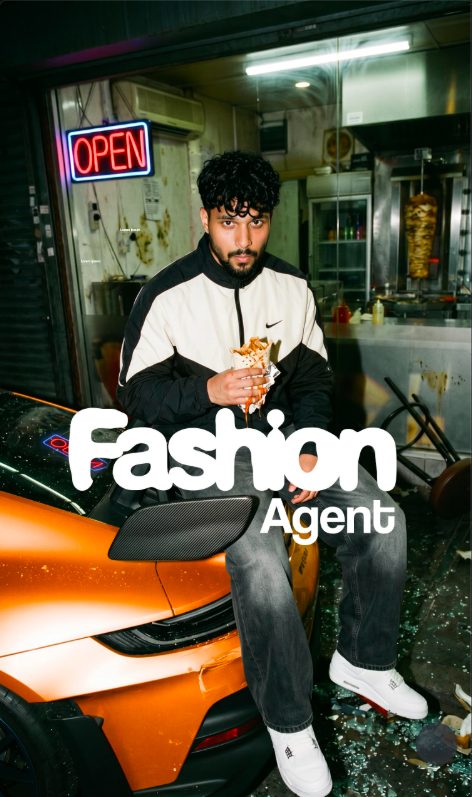
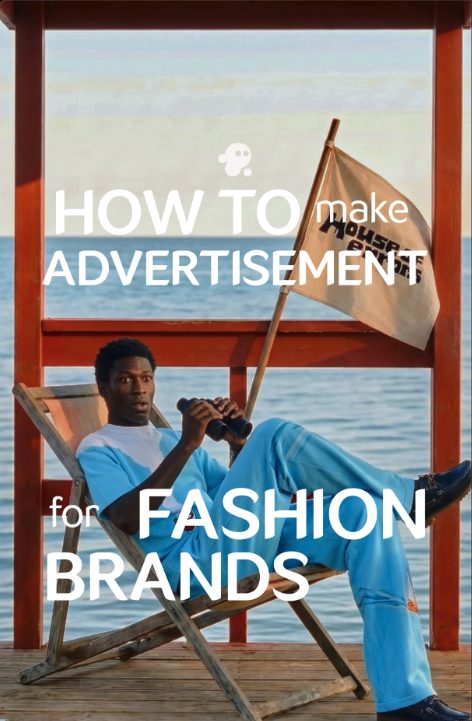
The same locked message, setting a brand up once in Agent One so every campaign output stays on-brand, made by creators who already speak to fashion and brand audiences. Each one built the campaign around their own idea of a brand.

Ours · 20 June
Our fashion campaign reel
invideo View
8 June
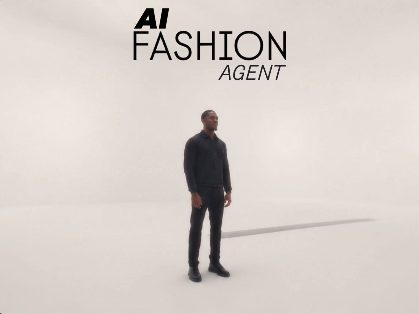
effects_collins fashion agent reel
@effects_collins View
11 June
pauloshimas AI fashion agent reel
@pauloshimas View
16 June
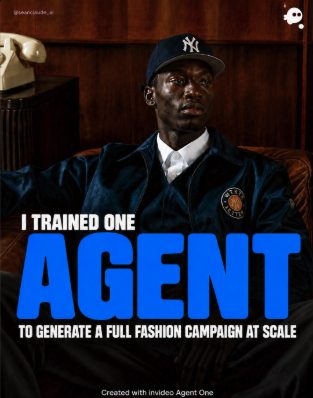
seanclaude_ai fashion campaign carousel
@seanclaude_ai View
16 June
rabinn.fx fashion brands reel
@rabinn.fx View
24 June
apurbok.roy fashion agent reel
@apurbok.roy View
29 June
bylaurinpeters fashion advertising reel
@bylaurinpeters View
06 - AI previz

The previz workflow, shipped to filmmaker creators.

A workflow built for filmmakers, handed to creators who make films.

Ours · 10 July
Our previz carousel
invideo View
21 July
antonfung previz reel
@antonfung View
23 July
austinwhite711 previz reel
@austinwhite711 View
28 July
ashokreddyai previz reel
@ashokreddyai View
Narrow release, high recall

Every creator piece was aimed at the same high-ticket buyers as the original. The pieces above are examples, not the full roster. A small, chosen roster does the job here because the target is a small market, and every creator already had that market's attention.